Clinical documentation is one of the vital tasks for every healthcare provider; typing notes, reviewing patient charts, updating clinical codes, and keeping records up-to-date can take a large amount of time. Many physicians complete the documentation process long after clinical hours. Physicians claim it takes 2-3 hours for paperwork for every 1 hour of patient care. This leads to stress, physician burnout, and less focus on direct patient care. This is where RevMaxx AI scribe comes in to lower the burden.
This AI-driven medical scribing solution is specifically created to assist healthcare professionals with easing the documentation process. It listens, interprets clinical settings, and produces notes that are logical and complete. Additionally, it supports clinical coding and EHR workflows, so that providers do not have to type everything the old-fashioned way.
But choosing the right scribe solution matters the most. Not all tools offer the same features or reliability. Some only create simple text. Others do not support coding, templates, or EHR workflows. Here RevMaxx AI scribe stands out- it focuses on accuracy, ease of use, security, and real workflow needs.
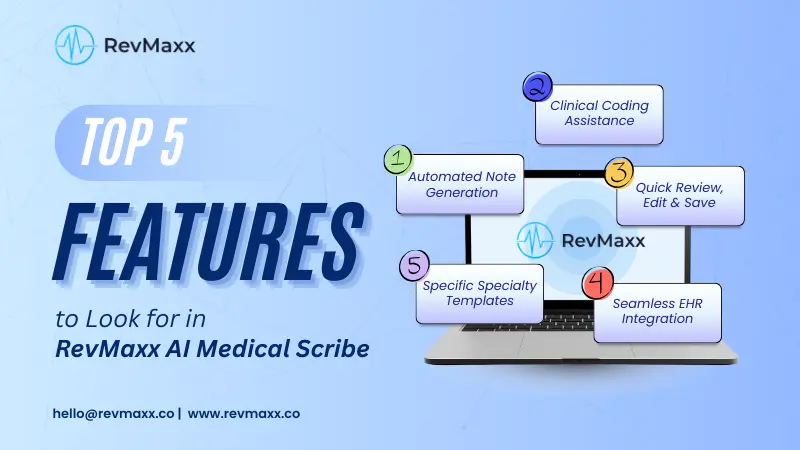
Let’s read this blog carefully and learn about the top 5 features of RevMaxx AI Scribe.
5 Key Features of RevMaxx AI Scribe
RevMaxx AI scribe is a widely popular AI-powered medical scribing solution. It helps physicians, nurses, and healthcare teams to document smoothly and efficiently.
Let’s check the top 5 features of RevMaxx AI scribe:
1. Automated Note Generation:
One of the most valuable features of RevMaxx AI scribe is automated note generation. During a patient encounter, healthcare providers speak naturally. They ask questions, explain health conditions to the patients, and discuss treatment. RevMaxx AI scribe listens in on this conversation, understands the clinical context, and converts it into structured, detailed clinical SOAP notes in a matter of seconds.
This AI medical scribe tool uses Natural Language Processing (NLP), advanced machine learning, and Advanced Speech Recognition (ASR) technologies in creating clinically accurate clinical notes from patient-provider conversations.
It captures the conversation, bridges spoken words to an understanding of the various clinical meanings of language and medical phrases and converts it to detailed clinical notes.
It also uses context-based note structuring and organizes information into the following sections:
- Chief complaint
- History of present illness
- Assessment
- Plan
- Follow-up recommendations
As a result, physicians now do not need to type every detail or write long notes even after clinical hours. It reduces manual workload and decreases “late-night charting”.
Automatic clinical note generation also improves accuracy. The generated note reflects exactly what happened in the room. The patient’s story, symptoms, history and care plan are captured in real time. The chances of missing details are much lower than ever before.
RevMaxx uses clinical terminology databases and medical dictionaries to ensure that terms are spelled correctly and placed in the right context. It understands how healthcare conversations flow, which helps create notes that sound like the provider wrote them. Because of this functionality, meeting providers will no longer be beholden to their memories.
As such, automatic note generation will allow providers to stay present in the room, take those eye contact, and have a real human connection while still having accurate documentation at the end of the visit.
2. Clinical Coding Assistance:
Correct medical coding is essential for billing, claims, reporting, and compliance. Even a small coding error can cause claim denials, payment delays, or loss in revenue. Manual coding is a time-consuming process- providers need to look up codes and cross-check guidelines during or after the visit. This adds extra burden to their busy schedule.
RevMaxx AI scribe helps physicians by suggesting accurate clinical codes based on what is discussed during the visit and what is documented in the visit notes. It supports ICD-10, CPT, E/M, and HCC coding so that the documentation and billing process becomes smoother and more reliable.
This medical scribe solution uses medical terminology recognition and coding rule logic. It reads the note, understands key clinical terms, and matches them with the correct billing codes. It also checks if the codes support the medical necessity documented in the record. This helps avoid mismatches and claim issues later.
ICD-10 (International Classification of Diseases, Tenth Revision):
The ICD-10 codes are a way of expressing diagnoses. RevMaxx recognizes the signs and symptoms, conditions, and chronic issues that were captured, and it matches these to the appropriate ICD-10 code, and this will reduce incomplete or incorrect diagnosis documentation. It will also aid in the documentation that chronic conditions are documented clearly every visit on an as-needed basis.
CPT (Current Procedural Terminology):
CPT codes reflect the services or procedures provided. RevMaxx reviews the note and suggests the CPT codes that match the care delivered. This saves time and supports accurate billing. Providers do not have to search long code lists or rely on memory for every detail.
E/M (Evaluation and Management):
This coding can be difficult because levels depend on medical decision-making, complexity, and visit details. RevMaxx reviews the note structure and helps select an appropriate E/M level based on documentation. This supports fair reimbursement and reduces guesswork.
HCC (Hierarchical Condition Category):
HCC coding is important for value-based care. It focuses on capturing chronic and long-term conditions correctly. RevMaxx identifies these conditions when they are documented and supports accurate risk scoring. This ensures that the patient’s health profile is properly represented and reimbursement aligns with their care needs.
By helping with coding during the documentation process itself, RevMaxx reduces extra work later. Providers do not need to recheck coding notes at the end of the day. Billing teams receive cleaner and more complete records. This supports compliance and reduces the risk of audits, corrections, and claim rejections.
It also leads to:
- Faster billing cycles
- Fewer denied claims
- Clear documentation that
- supports care decisions
Clinical coding assistance makes documentation not only faster but also stronger and more dependable.
3. Audio Review Panel, Quick Edit & Save:
Clear documentation depends on accurate recall. During appointments, small details can be easy to forget. RevMaxx AI scribe provides a secure audio recording panel to support transparency and clarity.
The provider can record the session while maintaining patient confidentiality. There is a “Audio Panel” available on the RevMaxx AI scribe tool so that after the visit the recording can be reviewed briefly if clarification is needed. This ensures that the final note reflects the true discussion.
This feature is helpful in several ways:
- It prevents misunderstandings
- Ensures no medical detail is missed
- It even allows the provider to verify clinical findings quickly
Quick review also supports quality checks before finalizing the note. Providers can make edits, confirm the assessment, and save the notes with confidence. This reduces stress and improves the accuracy of patient records.
4. Customized Specialty Templates:
Every clinical specialty has different documentation needs. A family physician, a mental healthcare expert, a cardiologist, and an orthopedist- all create notes in different formats. But no worries. RevMaxx supports customized SOAP note templates to match every clinical workflow.
Healthcare providers can select a template that fits their specialty. They can also adjust sections, phrasing, or style to match personal preference. Customization helps maintain documentation consistency across the entire team.
Some benefits of customized templates:
- Faster note completion
- Reduced editing time
- More readable and well-structured records
- Smooth communication between medical staff
This feature also helps new staff adopt documentation practices more easily. With templates in place, clinics maintain quality and structure even as teams grow. Here at RevMaxx, it offers tailored templates for the following specialties: cardiology, orthopedics, dermatology, home care, mental healthcare, ophthalmology, hospice, OB/GYN, dentistry, and more.
5. EHR Integration:
A scribe is most helpful when it works inside the existing EHR workflow. RevMaxx integrates directly with major EHR systems, like PointClickCare, PracticeFusion, AdvancedMD, AthenaHealth, eClinicalWorks, NextGen, Epic and more.
As a result, generated notes are placed into the patient’s chart without needing to copy, paste, or switch between screens.
This improves speed and reduces repetitive tasks. It also helps keep patient data complete and consistent across systems.
API (Application Program Interface) Integration:
API connectivity provides secure, smooth data sharing. It allows real-time updates and ensures that all patient records stay accurate and current. Here is how it works:
- Doctors first sign in to their RevMaxx account. They click the Integration button, log in to their PointClickCare EHR, and select their facility from the Fetch Facility list.
- During the patient visit, RevMaxx listens to the conversation. It captures key details like symptoms, diagnosis, and treatment plans. It then creates clear SOAP notes with correct billing codes in real time.
- When the note is ready, click Save to PointClickCare EHR.
- You will see two options: Progress Notes and Practitioner’s Notes. Select the note type, search or choose the patient name, and click Save. The note will move directly into the EHR.
- Doctors can then review, edit, and approve the notes from their PointClickCare dashboard.
Note: If any note needs to be removed, click the Strike Out button in RevMaxx to delete it.
RPA (Robotic Process Automation) Integration
RPA helps automate routine steps in the EHR. For example, updating sections, inserting codes, or placing notes in the correct location. This reduces manual clicking and typing. EHR like PracticeFusion work seamlessly with RevMaxx by using this technology. Here is how it works:
- Doctors start by adding their patient schedule to their Practice Fusion EHR like they always do. When they log in to RevMaxx Scribe, it automatically pulls that schedule. This saves time because doctors don’t need to type each patient’s name again.
- During the visit, RevMaxx listens to the conversation and captures the important details. It identifies symptoms, diagnosis, and treatment plans, and then creates clean and structured SOAP notes within seconds.
- These notes are then sent straight to the Practice Fusion EHR. Doctors can review, make changes if needed, and approve the notes directly from their dashboard.
Other Features That Make RevMaxx AI Scribe Stand Apart
Apart from the top 5 features mentioned above, there are some important features available in RevMaxx AI Scribe that make it a trusted partner of healthcare providers for streamlining clinical documentation and workflow.
Data Security and Compliance:
Healthcare, especially patient information, must always remain protected. RevMaxx follows HIPAA compliance and uses encrypted data storage. Recordings and notes are stored securely, and patient confidentiality remains a top priority.
Secure systems build trust between patients and providers. RevMaxx supports clear audit trails, role-based access, and safe transmission of clinical information. This ensures peace of mind for clinics of all sizes.
User-Friendly Interface:
A documentation tool should not be complicated. RevMaxx offers a clean, simple interface. Providers can start using it with minimal training. Buttons, controls, and review screens are easy to navigate. This reduces onboarding time and also supports staff with different levels of technical comfort.
When tools are easy to use, adoption improves. Workflows become more consistent. Documentation becomes faster and more accurate.
Scalability for Different Practice Sizes:
RevMaxx AI scribe solution works for:
- Solo practitioners
- Group medical practices
- Specialty clinics
- Skilled nursing facilities
- Home health programs
- Large healthcare organizations
It adapts to the size of the care team. Most importantly, this scribing tool also supports multiple providers across shared or individual workflows. This makes it useful for both small community clinics and large health systems. Scalability ensures that the solution continues to support documentation needs as the practice grows.
The Conclusion
RevMaxx AI Scribe is designed to support clinical documentation in a practical, reliable, and easy-to-use way. Its key features help reduce manual workload, save time, improve documentation accuracy, and support better patient care. They also reduce administrative stress and help providers maintain focus on what matters most: their patient.
RevMaxx brings clarity, consistency, and efficiency to medical documentation. It supports real clinical workflows and adapts to the needs of different specialties and practice sizes.
So, if your clinic is looking for a smoother documentation process, RevMaxx can be a strong solution to consider.
Let’s schedule a Free Demo to experience the benefits of AI scribe.