Currently, hospitals face unprecedented levels of stress. Clinicians are seeing more patients, managing more complicated cases, and dealing with strict compliance regulations. At the same time, the need for correct, timely, and formatted documentation for billing, quality reporting, and patient care is continually increasing.
AI clinical documentation can help hospitals improve the way they function. However, not every fast transcription application is appropriate for every hospital. Hospitals need AI clinical documentation solutions that align with their clinical workflow, support multiple departments, provide integration with Electronic Health Records (EHR), and offer protection for patient data.
Use this buying guide to assist with the purchasing decision-making process of AI clinical documentation solutions by hospital leadership and clinical and IT decision-makers so that you can make an informed purchase.
What is AI Clinical Documentation?
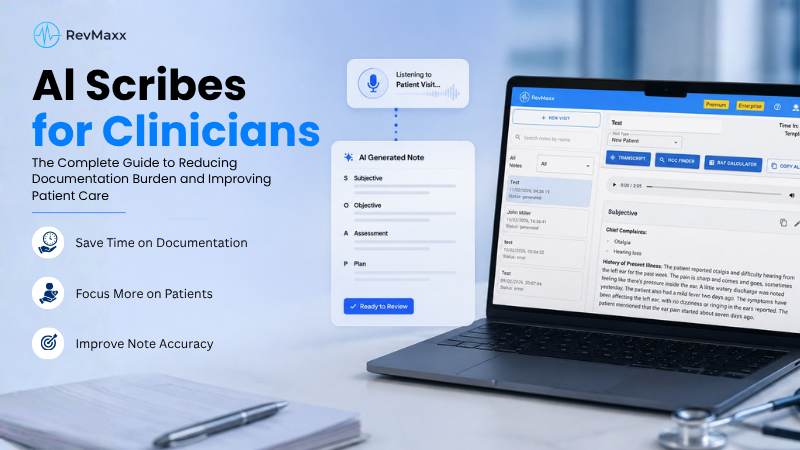
AI clinical documentation is a digital approach to generating medical documentation for patients. It will capture conversations during or after an appointment and convert those conversations into a structured document. Physicians and nurse practitioners will no longer have to type all of their information. The software is designed to automatically record information related to symptoms, diagnosis, and treatment plan. In addition to decreasing the amount of paperwork in hospitals, this automated process should also enhance the quality of notes and allow clinicians increased time with their patients.
How AI Clinical Documentation Works in Hospital Settings
Through speech recognition and Clinical Language Understanding (CLU) technology, AI allows for direct capture of voice inputs from both providers and patients by converting spoken responses into structured medical documentation. This conversion occurs while the AI listens to conversations between providers and patients, such as those found during a face-to-face meeting (patient visit or consultation), inpatient rounds, emergency department encounters, or post-discharge follow-ups. AI listens to the conversation, identifies critical clinical details within that conversation, and produces an initial draft of a note for a clinician to edit and finalize.
Difference Between AI Medical Scribes And Basic Transcription Tools
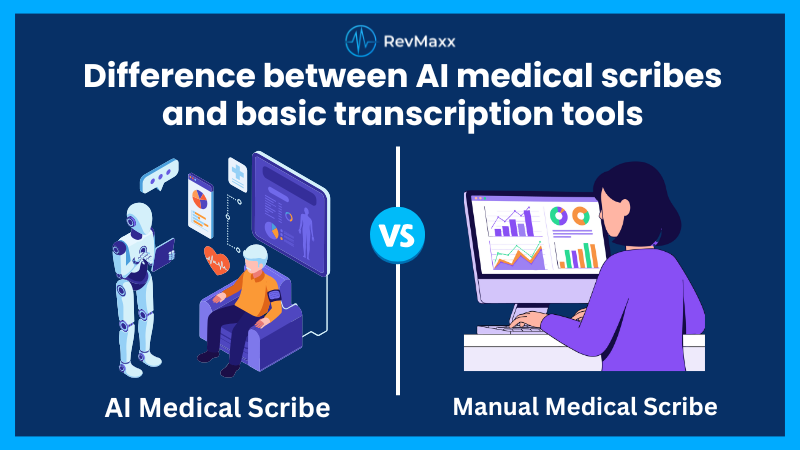
Basic transcription tools only convert speech into text. They do not understand medical meaning. Clinicians still need to organize, edit, and structure the notes.
AI clinical documentation works differently. It recognizes symptoms, diagnoses, medications, and plans. It organizes content into SOAP notes, progress notes, or discharge summaries. This saves more time and reduces errors.
Key Use Cases Across Inpatient, Outpatient, and Emergency Care
Hospitals use AI clinical documentation across many settings. In inpatient care, it supports daily progress notes and handoffs. In outpatient clinics, it helps with visit documentation. In emergency departments, it speeds up charting during high patient volumes.
This flexibility is critical for hospital-wide adoption.
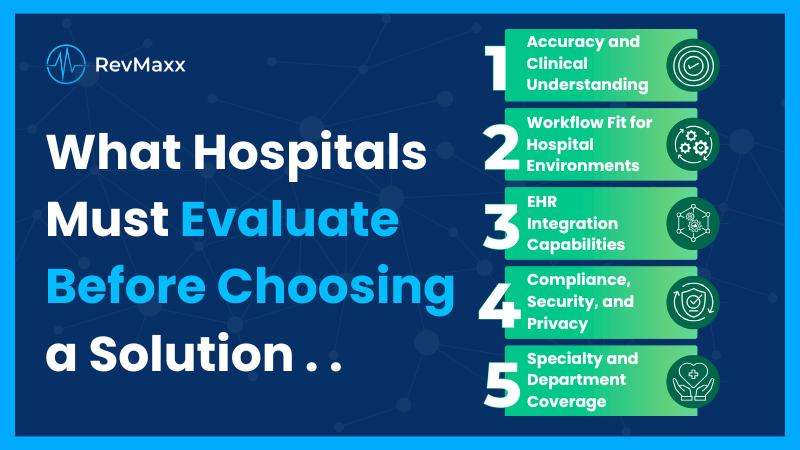
Buying Checklist: What Hospitals Must Evaluate Before Choosing a Solution
Choosing the right AI clinical documentation system is a long-term decision for hospitals. It affects daily clinical work, data quality, and staff satisfaction. Hospitals must look beyond basic features and focus on real clinical needs. Accuracy, workflow fit, security, and EHR integration matter the most. A clear checklist helps decision-makers compare vendors and avoid costly mistakes later.
Accuracy and Clinical Understanding
Accuracy is the most important part of AI clinical documentation. Hospitals rely on notes to guide care and billing. The system must understand clinical context, medical terms, and intent. It should have the ability to capture the details correctly without changing meaning. When accuracy is high, clinicians trust the system. This trust leads to better adoption and safer patient care.
Support For Medical Terminology And Specialty-Specific Language
Accuracy is the foundation of AI clinical documentation. Hospitals treat patients across many specialties. The system must understand clinical terms used in cardiology, orthopedics, oncology, psychiatry, and more.
If a tool struggles with specialty language, clinicians will lose trust quickly. Hospitals should test accuracy across departments before making a decision.
Handling Accents, Background Noise, and Multi-Speaker Conversations
Hospital environments are noisy. Multiple clinicians speak during rounds. Patients may have different accents or speech patterns.
A strong AI clinical documentation system must handle these challenges. It should clearly identify speakers and capture key details without confusion.
Real-Time Vs Post-Visit Documentation Accuracy
Some systems work in real time. Others process recordings after the visit. Hospitals should evaluate which approach fits their workflow.
The focus should always be on accuracy. Faster notes are useful only if they are reliable and clinically correct.
Workflow Fit for Hospital Environments
Hospitals run on fast and complex workflows. Documentation tools must fit into this pace without slowing teams down. AI clinical documentation should work during rounds, emergencies, and shift changes. Clinicians should not need to change how they work. When a system fits naturally, adoption improves and daily operations remain smooth.
Support For Inpatient Rounds, Ed Visits, and Discharge Summaries
Hospitals are complex. Documentation needs vary across departments. A good AI clinical documentation solution must support inpatient rounds, emergency visits, consults, and discharge planning.
If the system works only for office visits, it will not meet hospital needs.
Ambient Documentation Vs Clinician-Triggered Recording
Ambient documentation captures conversations automatically without extra steps. Clinician-triggered recording requires manual start and stop. Many hospitals prefer ambient AI clinical documentation because it reduces disruption. Clinicians do not need to change how they work.
Minimal Disruption to Existing Clinical Workflows
Adoption depends on ease of use. If a tool adds extra steps or slows clinicians down, it will fail. Hospitals should choose AI clinical documentation that fits naturally into existing workflows and EHR usage.
EHR Integration Capabilities
EHR integration determines how useful a documentation system truly is. Hospitals depend on smooth data flow between tools. When systems work well together, clinicians save time and avoid double entry. Poor integration causes delays and frustration. A strong AI clinical documentation solution should fit naturally into the existing EHR setup without changing how teams already work.
Compatibility With Major Hospital EHR Systems
Hospitals use large and complex EHR platforms every day. AI clinical documentation must work smoothly with these systems from day one. The system should support common workflows and updates. Seamless compatibility helps clinicians trust the tool. It also reduces errors caused by copying and pasting information between systems.
Structured Notes, Templates, and Smart Field Mapping
Structured documentation helps hospitals meet billing and reporting needs. The AI system should place information into the correct sections automatically. This reduces manual editing and saves time. Smart field mapping also improves data accuracy. When notes are structured correctly, coding teams can work faster and with fewer errors.
Write-Back Capabilities and Audit Trails
Write-back allows notes to move directly into the EHR. This saves time and avoids lost information. Audit trails are equally important. They show when notes were created and reviewed. This supports compliance and internal reviews. Hospitals need clear records to manage risk and meet regulatory expectations.
Compliance, Security, and Privacy
Hospitals handle sensitive patient data every day. Security and privacy must never be an afterthought. AI clinical documentation systems should follow strict rules to protect information. Strong compliance practices help hospitals avoid legal risk. They also build confidence among staff and patients who rely on secure systems.
HIPAA and Regional Healthcare Compliance Standards
Compliance is not optional for hospitals. AI clinical documentation must follow HIPAA and local healthcare rules. Vendors should clearly explain how they meet these standards. This includes data handling and access policies. Clear compliance processes help hospitals pass audits and reduce legal exposure.
Data Encryption, Storage, and Access Controls
Patient information must stay protected at all times. Encryption keeps data safe during storage and transfer. Access controls limit who can view or edit records. Hospitals should understand where data is stored and how it is protected. Strong security reduces risk and supports patient trust.
On-Premise Vs Cloud Deployment Options
Different hospitals have different IT needs. Some prefer cloud systems for flexibility. Others require on-premise solutions for control. A flexible AI clinical documentation platform supports both options. This allows hospitals to follow internal policies without limiting functionality or performance.
Specialty and Department Coverage
Hospitals serve many patient types and conditions. Documentation needs change by department. AI clinical documentation must support this variety without adding complexity. Broad specialty coverage helps hospitals standardize tools while respecting unique clinical needs. This reduces system sprawl and simplifies training and support.
Support For Multiple Specialties Under One Platform
Using one platform across departments reduces cost and confusion. Clinicians can follow similar workflows while using specialty-specific templates. IT teams manage fewer systems. This approach improves consistency and makes hospital-wide rollout easier. It also helps leadership track performance across the organization.
Custom Templates For Departments Like Cardiology, Orthopedics, ICU
Each department has unique documentation needs. Custom templates help capture the right details without extra work. The system should allow easy adjustments without long setup times. When templates match real clinical workflows, clinicians trust the tool more and spend less time editing notes.
Flexibility For Hospital-Wide Standardization
Standardization helps hospitals maintain quality and compliance. At the same time, departments need some flexibility. AI clinical documentation should support both. Core standards can remain consistent, while teams adjust small details. This balance improves adoption and ensures documentation meets hospital-wide goals.
Clinical and Operational Value to Measure
Hospitals need clear ways to measure success after adoption. Clinical and operational value should be tracked from the start. This includes time saved, note quality, staff workload, and financial outcomes. Measuring these areas helps leaders justify investment and improve usage. Regular reviews also help hospitals adjust workflows and get better results over time.
Time Savings For Physicians and Nursing Staff
One of the biggest benefits of AI clinical documentation is time savings. Time savings are often noticed within weeks of use. Clinicians complete notes faster and spend less time on keyboards. This allows more focus on patient care and team communication. Hospitals can track time saved per visit or per shift. Even small savings add up quickly across departments and large care teams.
Impact On Documentation Quality and Coding Accuracy
Clear and complete notes improve patient care and billing outcomes. AI clinical documentation captures details that are often missed during manual charting. This supports accurate coding and reduces back-and-forth with billing teams. Better documentation also helps during audits and quality reviews. Over time, hospitals see fewer errors and stronger clinical records.
Reduction in After-Hours Charting and Overtime
After-hours charting creates fatigue and frustration. Many clinicians finish notes late at night or on days off. AI clinical documentation helps complete notes during regular work hours. This reduces overtime costs and emotional stress. When charting is done on time, clinicians feel more balanced and engaged at work.
Financial ROI For Large Hospital Systems
Financial return comes from many small improvements. Saved time reduces staffing pressure. Better documentation supports accurate billing. Lower burnout reduces turnover costs. Hospitals should review ROI over several months, not just at launch. A long-term view shows how AI clinical documentation supports both clinical and financial goals.
Usability and Adoption Factors
Even the best system fails without user adoption. Usability plays a major role in success. Clinicians need tools that feel easy and reliable. Adoption improves when systems match daily routines. Hospitals should focus on design, support, and clinician feedback. Strong adoption leads to better outcomes and faster return on investment.
Ease Of Use For Clinicians With Minimal Training
Clinicians prefer tools that work without complex steps. AI clinical documentation should feel simple from day one. Short training sessions are more effective than long manuals. Clear screens and easy controls help users feel confident. When clinicians can use the system quickly, adoption rates increase and resistance drops.
Voice Capture Quality and Mobile Device Support
Hospitals operate in many environments. Some are quiet, others are busy and loud. The system must capture voices clearly in all settings. Mobile support helps clinicians document on the move. Tablets and phones are often used during rounds. Strong voice capture improves note accuracy and reduces editing time.
Clinician Acceptance and Change Management Considerations
Change can be stressful in hospitals. Leaders should involve clinicians early in the process. Listening to feedback builds trust and acceptance. Clear communication about benefits helps reduce concerns. Ongoing support is also important. When clinicians feel heard and supported, they are more likely to embrace new documentation tools.
Vendor Evaluation Checklist for Hospital Buyers
Choosing the right vendor is as important as choosing the right technology. Hospitals depend on long-term partnerships, not short-term tools. A strong vendor supports clinical teams, IT staff, and leadership at the same time. Evaluation should focus on experience, training quality, rollout planning, and the ability to grow with hospital needs. This checklist helps buyers make safer and smarter decisions.
Vendor Experience In Hospital Deployments
Hospitals should choose vendors who understand complex hospital environments. Large facilities have different workflows, approvals, and compliance needs. Vendors with hospital experience know how to manage scale, downtime risks, and clinician adoption. They can handle inpatient care, emergency settings, and multiple departments. This experience reduces implementation issues and helps hospitals achieve results faster.
Clinical Involvement In Product Design and Training
Clinical input makes a big difference in product quality. Vendors should involve doctors and nurses when designing features and workflows. This ensures the system feels natural to use. Training should also include clinical examples, not just technical steps. When clinicians help shape the solution, adoption improves and resistance to change is lower.
Implementation Timeline and Onboarding Support
Hospitals cannot pause operations for new software. Vendors must offer a clear and realistic implementation plan. This includes setup, testing, training, and go-live support. Strong onboarding helps teams adjust quickly. Dedicated support during early use is critical. A smooth rollout prevents workflow disruptions and builds early confidence among clinicians.
Scalability For Multi-Facility Hospital Systems
Many hospital systems manage multiple sites and departments. AI clinical documentation must scale without losing performance or accuracy. Central dashboards help leaders manage users and settings across locations. The system should support future growth, not limit it. Scalable solutions save time, reduce IT burden, and support consistent documentation standards across facilities.
Questions Hospital Leaders Should Ask Vendors
Hospital leaders must ask clear and practical questions before choosing any documentation tool. The goal is not just to buy software but to solve daily problems. Vendors should explain how their system works in real hospital settings. Honest answers help leaders understand risks, limits, and long-term value. This step protects hospitals from costly mistakes and poor adoption later.
How Does The System Handle Complex Clinical Conversations?
Hospitals deal with complex cases. Leaders should ask how the system performs in real scenarios. Live demonstrations help.
What Measurable Outcomes Can Hospitals Expect In 3–6 Months?
Vendors should provide clear success metrics. This may include time saved, reduced burnout, or improved documentation quality. Clear expectations build trust.
How Is Data Used, Stored, and Protected?
Transparency around data handling is essential. Hospitals must understand where data goes and who can access it. This protects patients and the organization.
RevMaxx: Physicians’ Trusted AI Clinical Documentation Tool- Here is the Key Checks
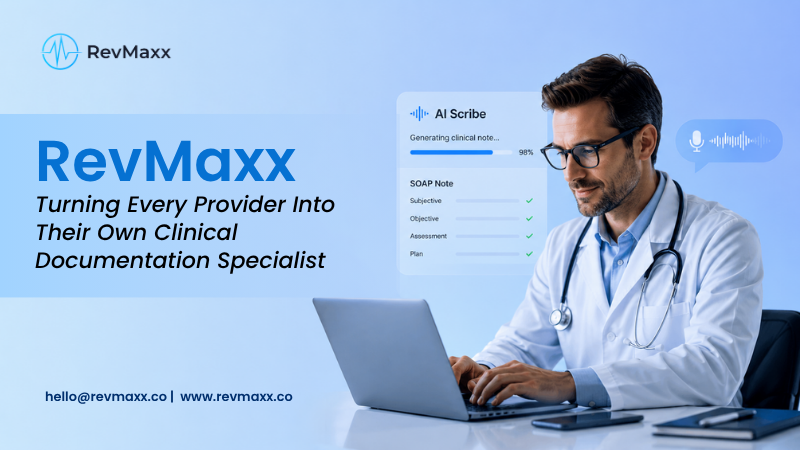
When choosing RevMaxx AI Clinical Documentation Tools, hospitals should focus on core features that support real clinical work. This ambient AI carefully listens and captures every patient-provider conversation during visits and converts it into structured clinical notes in real time. The below-mentioned checklist highlights key areas hospitals should review before deciding.
Key Features Comparison: RevMaxx AI Clinical Documentation Tools
| Feature | Why It Matters |
| Clinical Accuracy | Ensures 95% accurate clinical notes |
| Specialty | Customized templates available for various clinical specialities, like cardiology, dermatology, mental healthcare, primary care, oncology and much more |
| Voice Capture Quality | Works well in noisy clinical environments and ensure clear recordings |
| EHR Integration | Seamlessly integrated with popular EHRs, like eCW, Epic, PointClickCare, NextGen etc. |
| Workflow Fit | Works well in any clinical workflows, perfect for small and enterprise-level organizations |
| User Ease | With a simple interface and minimal training, physicians can easily adapt |
| Security and Compliance | Fully HIPAA compliant |
The Final Thoughts
Successful adoption requires alignment across teams. Clinical, IT, and compliance leaders must work together. AI clinical documentation should support all three. The cheapest solution is not always the best. The AI scribe software that provides accuracy and clinician satisfaction matter more in the long run.
Hospitals should look at total value. AI clinical documentation is not just a tool. It is a foundation for future digital transformation. Choosing the right solution today prepares hospitals for tomorrow’s care models.