Streamline your documentation, reduce charting time, and improve care delivery with the seamless integration of NextGen EHR and RevMaxx AI medical scribe.
No more staying late to complete notes. No more toggling between tabs or hunting for past visit summaries. With this integration, your clinical documentation writes itself—accurately, securely, and in real time.
Healthcare providers are spending nearly 50% of their time on EHR documentation instead of patient care. That clearly indicates more burnout, less face time with patients and missed revenue opportunities due to coding errors or incomplete records.
RevMaxx AI medical scribe and NextGen integration changes all that. With RevMaxx integrated directly into your NextGen electronic health records software, you get a smart scribing solution that listens to your patient encounters, transcribes conversations, and auto-generates structured SOAP notes. Everything appears right where it should—within your NextGen dashboard—without any copy-paste, rework, or delays.
The result? You spend more time with patients and less time behind the screen.
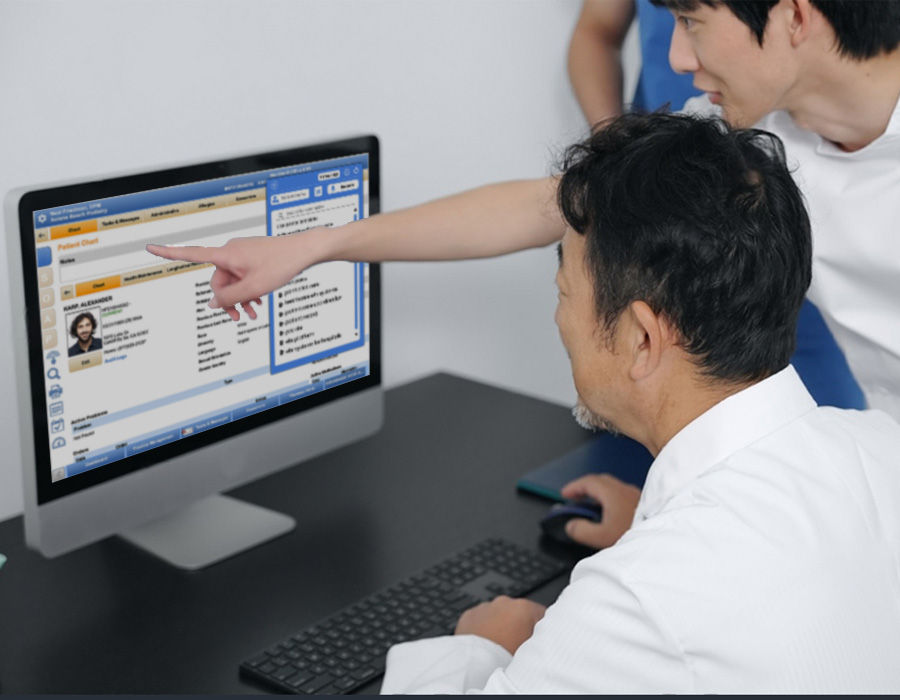
RevMaxx enhances the power of NextGen electronic health record systems in healthcare by automating the clinical documentation process. No matter your specialty—family medicine, behavioral health, or cardiology—RevMaxx adapts to your needs and style.
Here’s what makes this integration powerful:
Each specialty has unique note structures. RevMaxx supports customized templates based on SOAP, DAP, or specialty-specific note formats, so you don’t need to start from scratch every time.
Speak naturally during your consultation. RevMaxx listens ambiently, transcribes live, and builds clean, well-formatted notes that flow directly into your NextGen software interface through Google Chrome Extension.
No more second-guessing CPT, ICD-10, or HCC codes. RevMaxx suggests accurate billing codes after each visit, helping your clinic stay compliant and boost reimbursements.
Both RevMaxx and NextGen are built with interoperability in healthcare and patient safety in mind. All data is encrypted, HIPAA-compliant, and stored securely. Privacy isn't just a feature—it's a foundation.
The integration is smooth and doesn’t disrupt your existing EHR implementation or workflow. Using the RevMaxx Chrome Extension inside NextGen, here’s how the process works:
From your NextGen EHR dashboard, toggle on the RevMaxx Chrome extension. It’s a one-time setup that unlocks voice-enabled charting for your whole practice.
Click "Start Visit" in the RevMaxx sidebar. Begin your patient consultation as usual. No need to speak to the tool—it listens ambiently and works in the background.
Once the visit is over, click "Stop Visit." RevMaxx transcribes the conversation, organizes the key points, and generates structured notes—complete with proper formatting and codes.
You can review the notes, make any edits, or add observations. RevMaxx ensures 90–95% accuracy on average, helping reduce rework and improve trust in your EHR data.
With a single click, send the finalized note directly into your NextGen electronic health record software. The note syncs into the correct patient field—no need to switch between screens or re-enter data.
With NextGen EHR and RevMaxx, you get the best of both worlds- powerful electronic health records software and real-time, intelligent scribing that adapts to your workflow. Improve productivity, reduce errors, and put the human touch back into healthcare.
Request a demo or start your free trial.
No heavy installs. Just add the RevMaxx chrome extension and enable microphone access and you are ready in minutes.
RevMaxx AI scribe supports multiple specialties including psychiatry pediatrics, cardiology, OB/GYN and more with customized templates to match your clinical needs.
Yes. All RevMaxx documentation is HIPAA-compliant and encrypted. We work in full alignment with NextGen EHR security protocols.
Absolutely. By improving note quality, accuracy, and coding, the integration supports both compliance and better reimbursement in value-based models.